
Community & Health Services

Community health worker software for connected support.

Smores Health helps community and health service organizations manage relationship-based programs across navigation, outreach, peer support, community health, and ongoing engagement.

A 20-minute walkthrough for your program.

For teams whose work happens in communities, homes, phones, programs, and conversations, not only inside clinics.
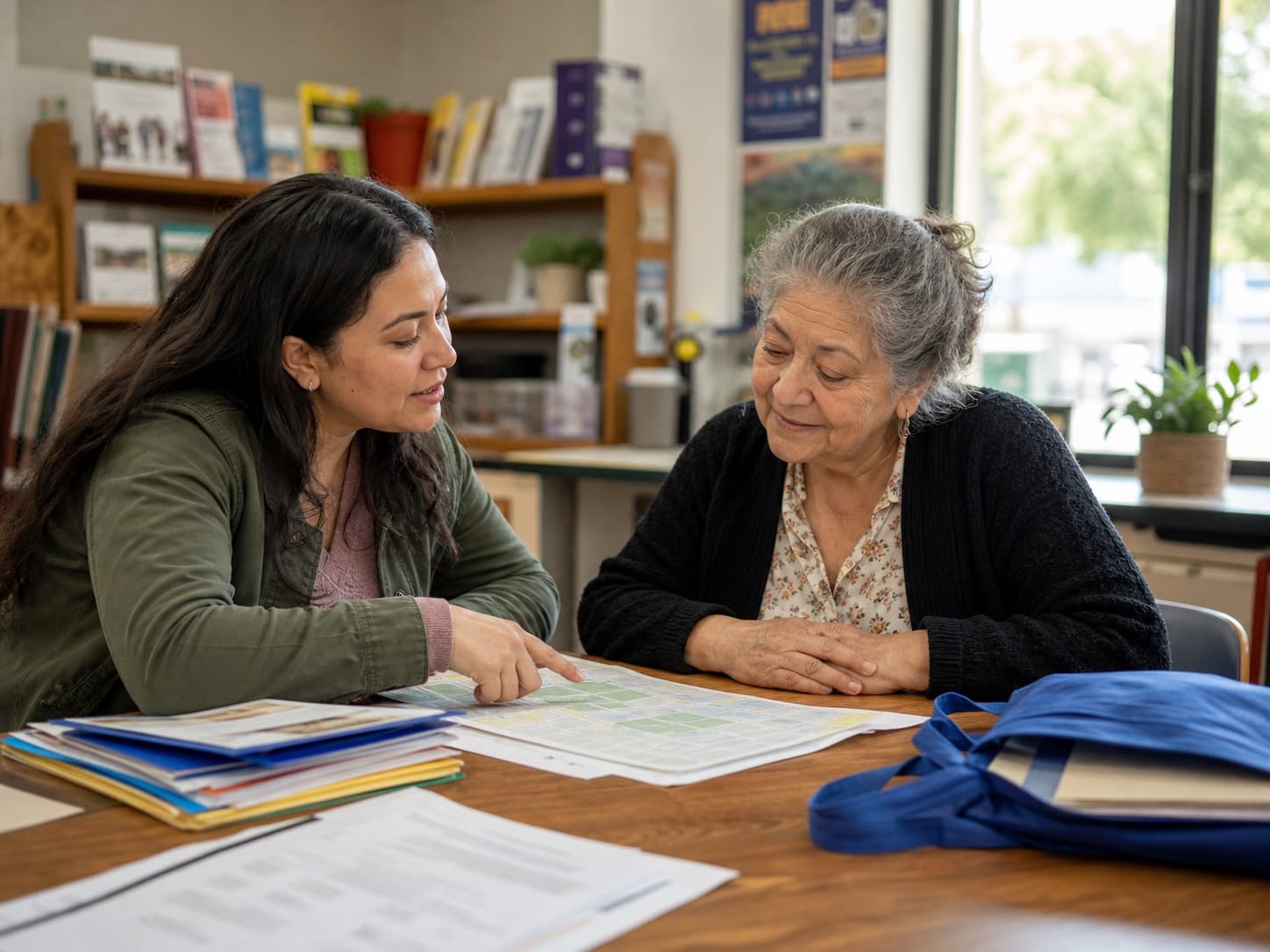
A community health worker helping a neighborhood resident navigate local services.
Care that reaches everyday life.

For community health worker program leaders

How can community health worker software support your team?

Community health worker software should help your team organize participant records, assigned work, encounters, documentation, and follow-up. Smores Health connects core coordination, note, and reporting workflows. Bring your program requirements to a walkthrough so you can see the fit, discuss configuration, and identify any additional needs before choosing a system.

By Smores Health. Reviewed October 9, 2026.

Organize the work

Explore participant records, staff assignments, schedules, and tasks. Walk through who owns the next step when a participant needs ongoing support or a worker is away.

Explore this workflow

Document the encounter

Review how staff capture service information and how notes move through review. Bring your approved fields and a fictional encounter to discuss the configuration your program needs.

Explore this workflow

Review program activity

Explore reporting and exports alongside the underlying records. Bring your reporting definitions so the demonstration can distinguish people, encounters, activities, and outcomes.

Explore this workflow

Plan a practical rollout

Start with your forms, roles, and one everyday scenario. Identify setup, training, and acceptance checks before expanding the workflow across your organization.

Explore this workflow

What should we show you in a demo?

Use a fictional participant who has an agreed next step, an assigned worker, and an upcoming contact. Ask to see how the team finds the record, documents completed work, and continues support when the responsible worker is unavailable. Then ask how that work appears in the program report. This makes the demonstration about your operating decisions instead of a tour of unrelated menus.

  1. Describe your population, service model, staff roles, and current tools.
  2. Bring a blank form or checklist and identify the information your team must capture.
  3. Choose an exception to test, such as a corrected note, missed contact, or staff handoff.
  4. Review a reporting requirement and ask which definitions and exports support it.
  5. Confirm configuration, implementation responsibilities, and included services in the proposed scope.

Our public resources are planning tools. They do not establish that every example field, integration, state-specific form, or billing workflow is included in your setup. Confirm specialized requirements directly. In particular, a documentation demonstration does not establish payer enrollment, claim acceptance, or live Medicaid billing for your program.

Where should your CHW team start?

Choose the guide that matches your current decision. Each includes practical examples and a defined next step. The national guides cover operations; the Minnesota guide keeps state requirements and unresolved payer questions separate.

Community health software questions

Is this only for peer support organizations?

This page is for community health and outreach organizations evaluating the platform. Start with the work your team needs to perform and verify the fit in a demonstration. A similar job title does not mean two programs need the same forms, permissions, or reporting.

Can we bring our own documentation and reporting requirements?

Yes. Bring blank forms and reporting specifications so we can discuss the required workflow and configuration. Use fictional examples rather than real participant records during the initial demonstration.

What does getting started involve?

Start with a 20-minute walkthrough focused on your program. Explain what you are replacing, the staff who will use the system, and the workflow you most need to improve. Use the discussion to establish the next evaluation and implementation steps.

Coordinate complex human services

Bring participants, staff, services, referrals, documentation, communication, and follow-up into one operating system.

Support frontline teams

Give navigators, community health workers, peers, advocates, and coordinators tools designed around how they actually work.

Turn relationships into measurable impact

Understand engagement, service delivery, unmet needs, program activity, and outcomes across your population.

Community care

Built for the work between healthcare and everyday life

The hardest problems in health often cannot be solved by another appointment.

People need help navigating systems, accessing resources, staying connected, building trust, and following through.

Smores Health gives organizations infrastructure for that work.

Programs

Use cases

  • Community health workers
  • Patient navigation
  • Social care
  • Community outreach
  • Peer support
  • Family navigation
  • Youth support
  • Care coordination
  • Population health programs
  • Community-based behavioral health
  • Recovery services
  • Public health programs

Platform

One platform from first contact through ongoing support

  1. Engage

    Enroll participants, communicate, conduct check-ins, share resources, manage groups, and keep people connected.

  2. Coordinate

    Manage caseloads, referrals, tasks, schedules, service plans, follow-up, and multidisciplinary workflows.

  3. Document

    Capture activities, interactions, assessments, progress, service delivery, and required program documentation.

  4. Measure

    Measure reach, engagement, service utilization, workforce activity, needs, and outcomes.

Purpose-built

Designed for relationship-based work

Traditional health IT is built around encounters. Community services are rarely that simple.

One participant may interact with a navigator, peer specialist, health worker, community organization, family member, and clinical provider across months or years. Smores Health helps organizations understand and coordinate that entire relationship network.

What is the next step for your CHW software shortlist?

Choose one community health worker encounter and follow it through documentation, staff coverage, and reporting. Bring the team’s definitions of a person served, a completed encounter, and a referral result. That makes the demonstration specific enough to evaluate.

Test the shortlist

Use the buyer’s guide to compare the same tasks across vendors. Record what was demonstrated, what needs configuration, and what remains unanswered.

Use the buyer’s checklist

Check the reporting evidence

Separate people, encounters, referrals, and outcomes. Test a small fictional dataset against expected totals before relying on a dashboard.

Review CHW reporting

Discuss your program scope

Identify staff roles, forms, training, and external requirements. Confirm any specialized payer or integration needs separately from the core documentation workflow.

Get pricing & info

LET’S START WITH YOUR PROGRAM

The future of care is not only clinical.

Build the infrastructure for everything that happens around it.

Your team. Your questions. A real conversation.

  • Walk through the workflows that matter to you
  • Explore how your program could be configured
  • Talk through implementation and next steps

A 20-minute walkthrough for your program.